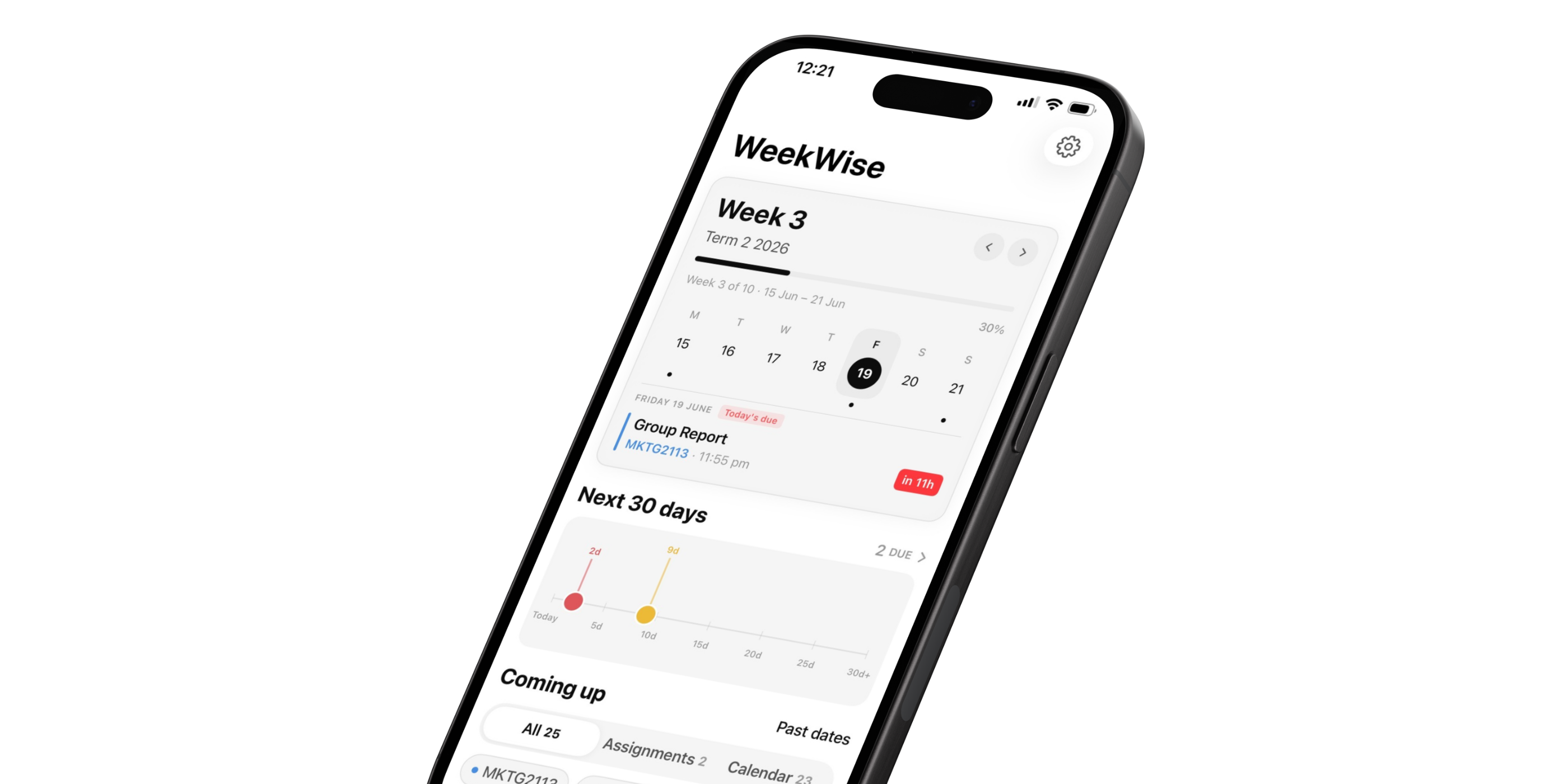
WeekWise tells you exactly what uni week you're in — and everything else you're about to miss — the second you open your phone. No portal. No spreadsheet. No guessing.
Free to download · WeekWise Pro unlocks everything for $2.99 AUD, once, forever.
You're not disorganised. You're just working with the wrong tools.
Week 3? Week 7? To find out you have to log into the portal, find the academic calendar, squint at a PDF, and count manually.
Every. Single. Week.
That's not a you problem. That's a broken system.
Census dates. Last day to drop a subject. Enrolment deadlines. These dates carry real consequences — failed units, unexpected fees, academic penalties.
They're buried on your uni's website and easy to forget.
Until it's too late.
It wasn't laziness. It was chaos — group chats, notes apps, sticky notes, a whiteboard you stopped checking in Week 2.
Assignment deadlines don't care about your system.
They just pass.
WeekWise is the uni calendar app that actually understands how Australian uni works. Teaching weeks, census dates, STUVAC, assignment deadlines — all in one place, always up to date, always one glance away.
Built for Australian uni students. Not adapted from a generic planner. Not another productivity app trying to do everything. Just your academic life, finally sorted.
WeekWise always knows exactly where you are in semester — Teaching Week 1, Week 8, mid-semester break, STUVAC, exam period. It's right there the second you open the app.
No logins. No PDFs. No counting. Just: it's Week 6. You're welcome. 😌
Old way: hunt down your uni's academic calendar, open the PDF, manually enter every teaching week, every break, every important date, every exam period. Then do it all again next year.
WeekWise way: select your university. Tap once. Done.
Teaching weeks, study breaks, STUVAC, exam periods, orientation weeks, census dates, last day to enrol, last day to drop a subject — all of it, pulled instantly from the cloud. You typed nothing.
Australian universities supported for 2026, with more being added constantly. Don't see yours? Enter dates manually for free — every other Pro feature works exactly the same.
Census dates. Last day to withdraw. Enrolment cut-offs. Timetable selection opens.
These aren't just dates on a calendar — miss them and there are real financial and academic consequences.
WeekWise surfaces them with countdowns so they never sneak up on you again.
Old way: notes app, whiteboard, group chat, vibes.
WeekWise way: add your subjects and assignments with due dates. See every deadline with a countdown timer ticking. Get reminders to start, reminders to submit. View past assignments.
You always know exactly what's due, what's coming, and how much time you have left. No surprises. No panic. Just clarity.
Works for every student at every university — no auto-fetch required.
Deadline reminders. Important date alerts. Assignment due-soon warnings.
Set it once and let WeekWise handle the rest. You focus on actually doing the work — we'll make sure you never forget it exists.
Works for every student at every university.
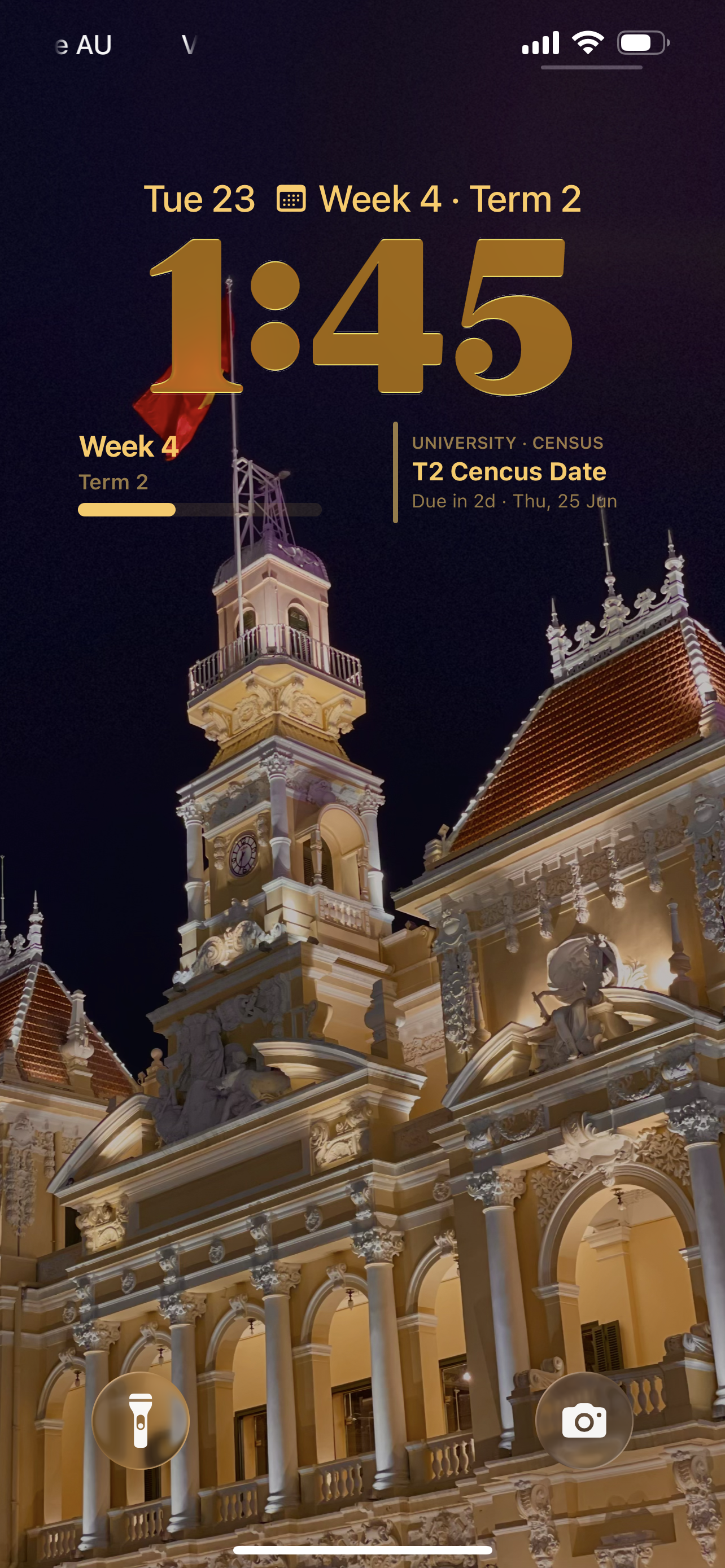
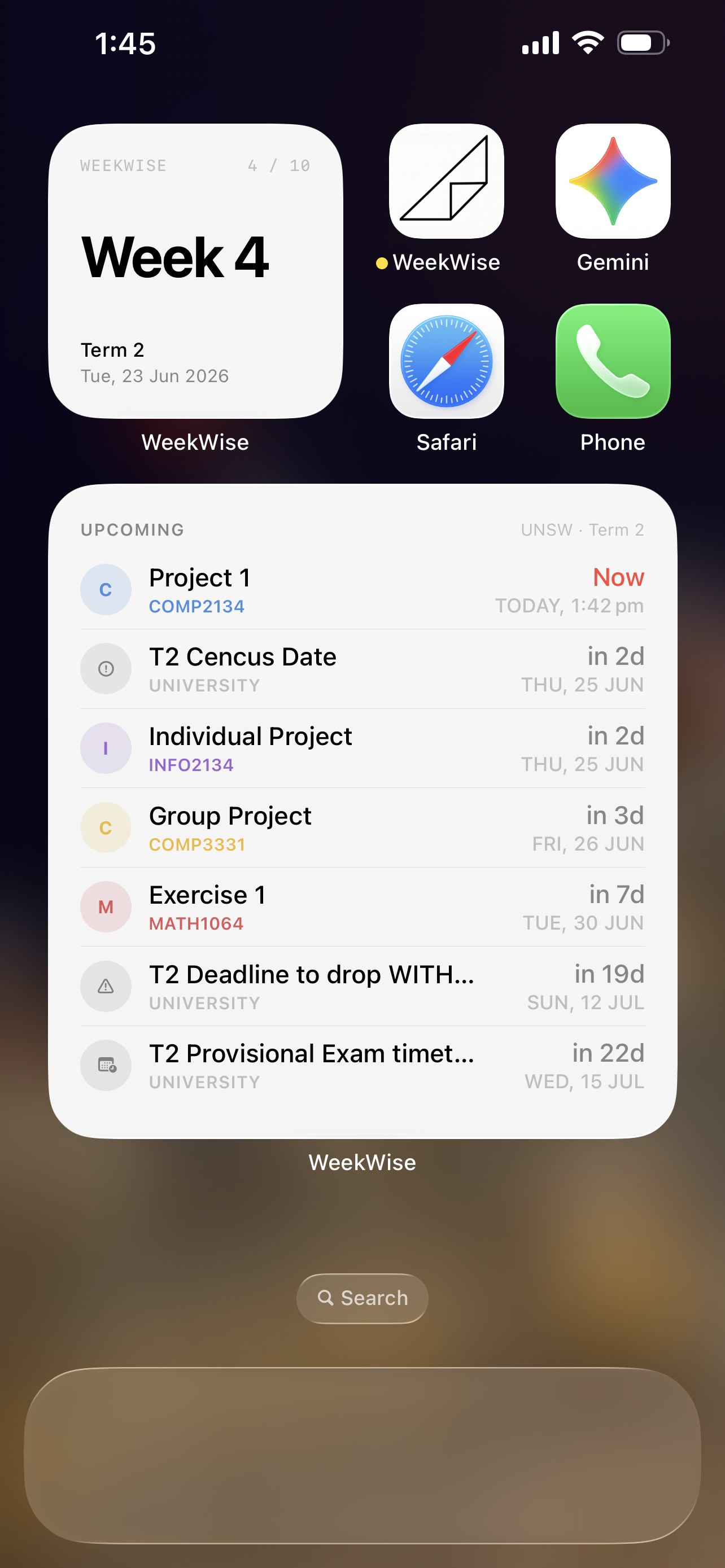
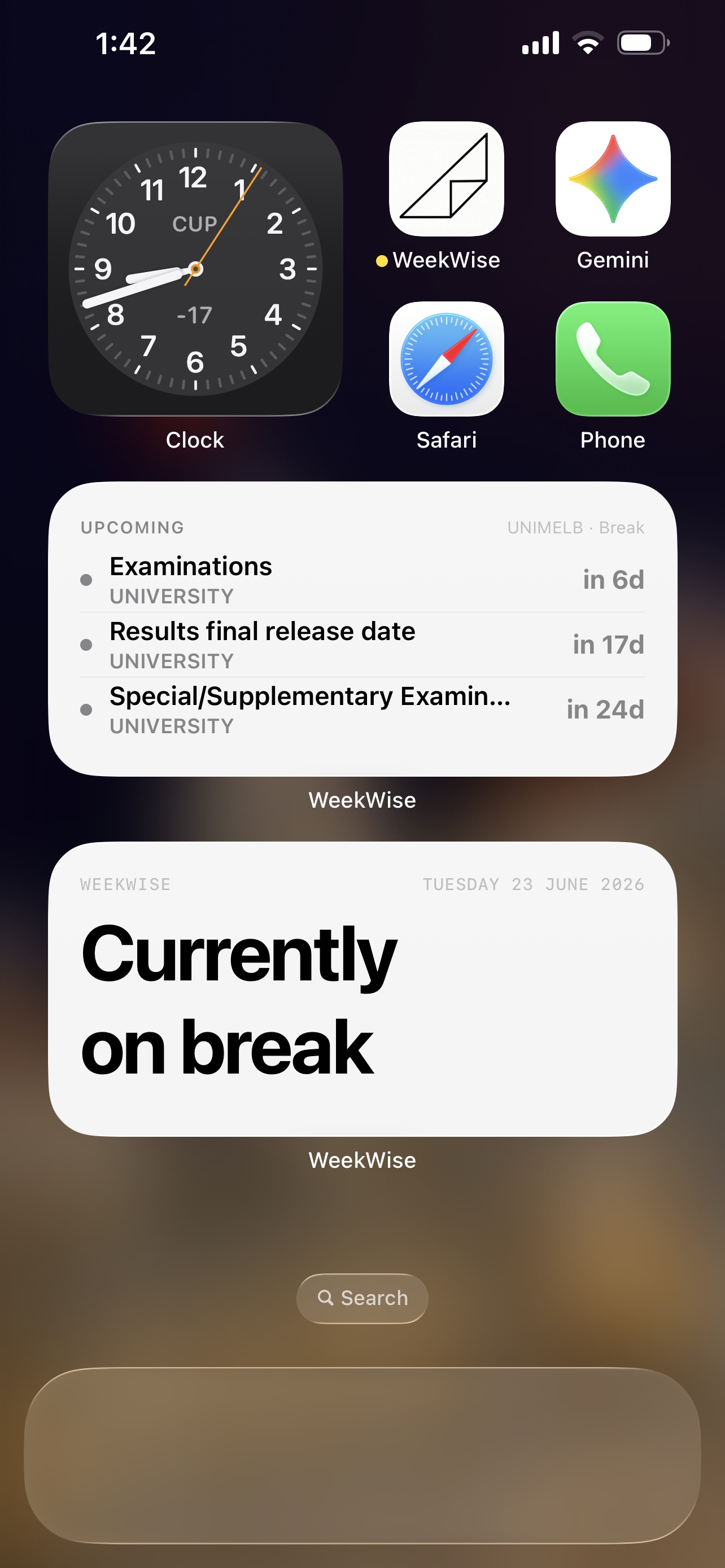
Six widget sizes. Home screen small (current week number) and medium (week + semester progress bar). Lock screen inline, circular, rectangular, and a large upcoming-dates view.
Census date in 3 days. Assignment due tomorrow. Week 9 of 13.
All visible the second you raise your phone. Before you even unlock it.
Works for every student at every university, regardless of how dates were entered.
Choose from supported Australian universities — or add any institution manually for free. Select your academic year and you're already halfway done.
Teaching weeks, mid-semester breaks, STUVAC, exam periods, census dates, key deadlines — fetched from the cloud and laid out in seconds. You entered nothing. It's all just... there.
(Manual entry works exactly the same — just takes a few more minutes.)
Add your subjects, then drop in every assignment with its due date. Countdown timers tick down in real time. Set reminders so nothing sneaks up on you — no more 11pm panic.
Drop a widget on your home screen or lock screen. Your entire semester lives in WeekWise now. Open your phone, know your week, never miss a deadline again.
Select your uni and your full academic calendar appears instantly — teaching weeks, STUVAC, exam periods, census dates, every important deadline. Zero manual entry.
No subscription. No annual renewal. No "your trial has ended." Just one payment — and WeekWise Pro is yours for every semester, every year, forever.
Download and use for free. No credit card. No catch. Manually add your university calendar data with no limits — teaching weeks, important dates, break periods, all of it.
One payment. Every feature. No expiry. Lose your phone, get a new one — restore Pro for free in seconds. You will never pay again.
All purchases processed by Apple. Refund eligibility follows Apple's standard policies.